Dotnet watch removes console color
A quick guide how to fix missing console colors when using dotnet watch run
The Problem
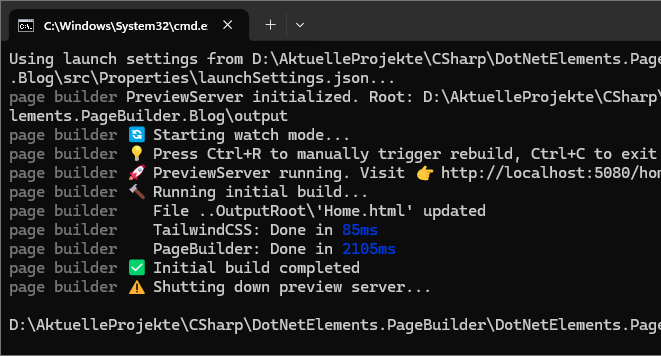
While developing a custom static site generator using Blazor I used dotnet watch run to run my generator and enable live reload of the generated pages. This worked just as I wanted. When I started to improve the console output to be more helpful for the user, I used colored console output (ANSI) to highlight certain messages. I noticed that the colored messages were shown just fine when I ran the project using dotnet run but were missing using dotnet watch run.
Code example
1
Console.WriteLine("PageBuilder: Done in \e[34m{ElapsedMilliseconds}ms\e[39m\e[22m");
Console output
 Example with working colors
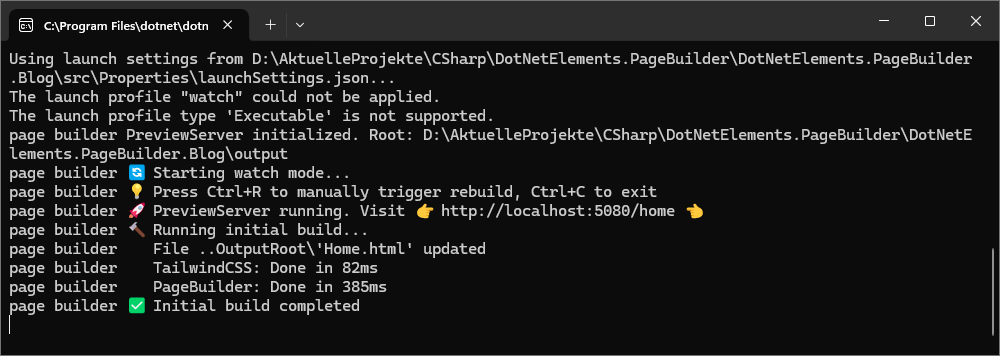 Example with missing colors
The solution
After a few failed attempts, I found a GitHub issue mentioning the same problem link.
This seems to be a problem in dotnet watch, where ANSI colors are not forwarded. The only solution to fix the problem was to use an environment variable.
1
$env:DOTNET_SYSTEM_CONSOLE_ALLOW_ANSI_COLOR_REDIRECTION=1